
AEON · Cloud platform
Cooling system thermal design software that solves every cell
AEON is browser-based software for the thermal design and rating of cooling and heat transfer equipment. It builds your system from individual components and solves each one, so the results show what averaged methods hide.
Request an AEON demo →See how it works
On this pageAEONCustom enginesCLONE digital twins
How AEON works
From component model to cell-level results
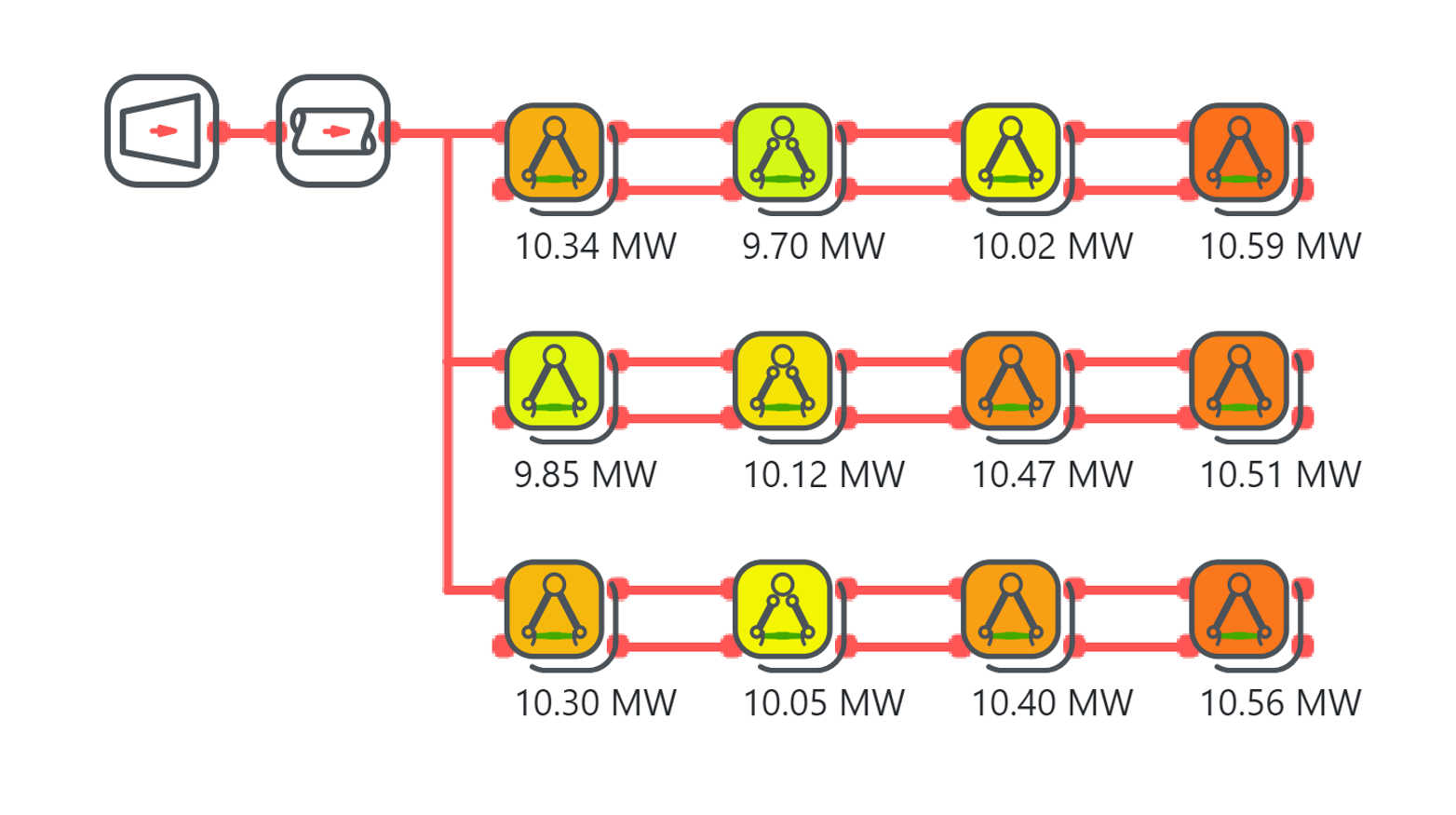
Conventional rating methods treat a cooling system as a set of identical cells. AEON models it the way it is built: as individual components that influence each other.
Enter the main parameters
Describe the system with a short set of inputs: process conditions, ambient conditions, dimensions, tubes or fill, and fans. AEON’s SmartModel then builds the component-level model for you, with no detailed setup.
Solve every cell
AEON calculates each cell with its own airflow, inlet conditions and fan state, and solves how the cells affect one another. Switch off one fan, and the flow distribution to the other cells changes with it.
Read the results
See heat rejection, temperatures and flows for each component. Export them as JSON, CSV or PDF, or use your own results templates with parts lists and costs.
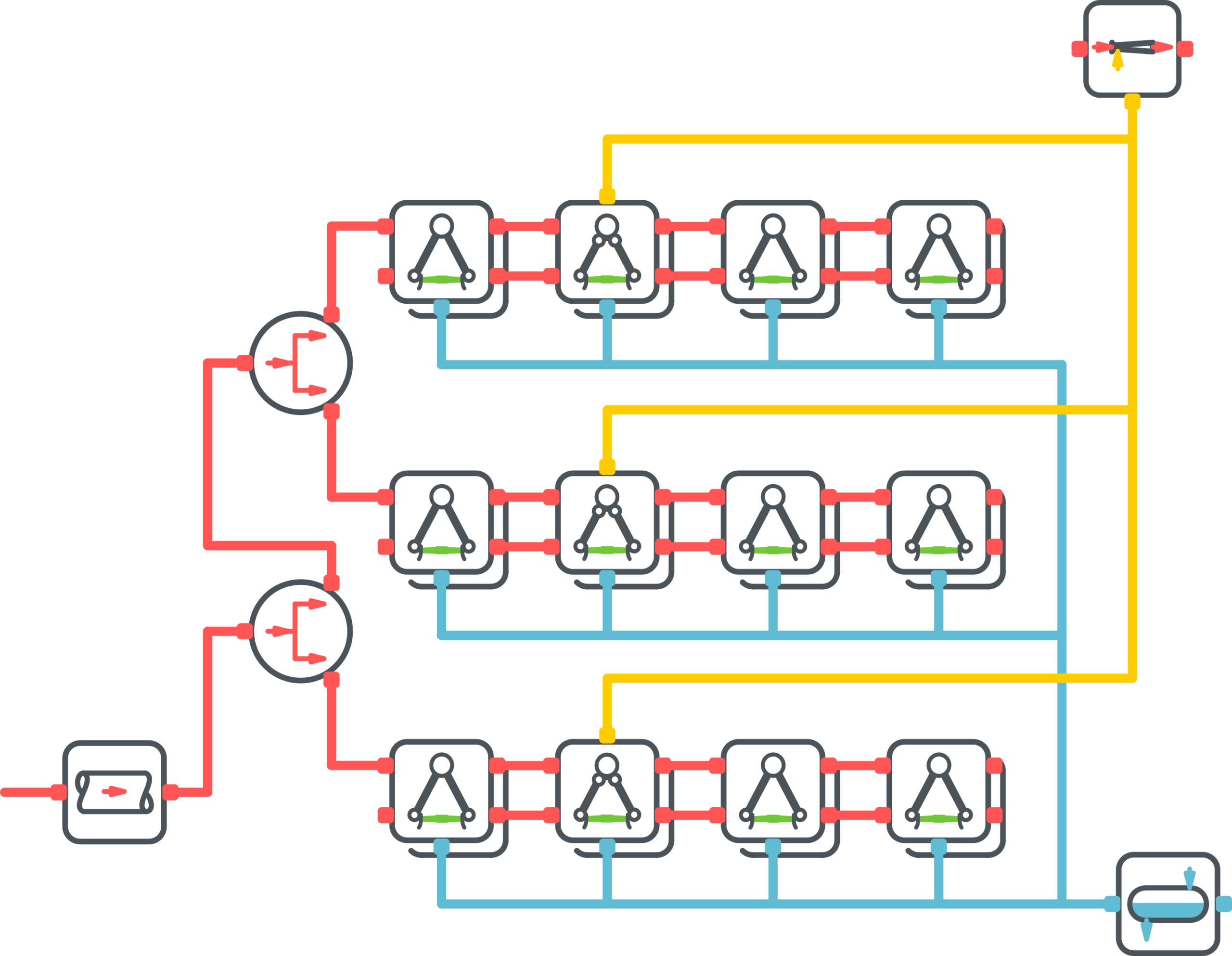
AEON component model · three-row air-cooled condenser
What AEON captures that averaged methods miss
Real installations are uneven. These effects decide how a cooling system performs on site, and each one shows up in the AEON results.
Fan switching and breakdowns
Set the speed and state of each fan. See what the system delivers with fans off, at partial speed or out of service.
Wind and hot air recirculation
For air-cooled condensers, enter wind speed and direction, and AEON calculates the effect on each fan from its position. Set a local air inlet temperature for cells affected by recirculation.
Steam backflow and cold zones
In air-cooled condensers, AEON calculates steam backflow between cells and the cold zones it causes.
Water distribution
In wet and hybrid cooling towers, AEON calculates how water spreads across the fill, including maldistribution.
Cells that are not identical
Cells can differ in tube length, tube type, fouling and fan speed, as they do in real installations.
Design and off-design rating
Size a new system, or rate an existing one across its operating range of ambient conditions, loads and fan settings.
Need the wind field itself? THERM’s consulting team runs 3D CFD studies of wind and hot air recirculation, and the results can be used in your AEON model.
Eleven technologies, one platform
The same component-based approach covers equipment from power plants to supermarkets and data centers.
Forced-draft air-cooled condensersInduced-draft wet cooling towersDry/wet hybrid cooling towers
Hot water coilsChilled water coilsCondensersSteam condensersDX evaporator coilsTranscritical CO2 gas coolers
Dry coolers (fluid coolers) and air-cooled heat exchangersWet cooling towers for heat rejection
AEON also simulates whole cycles, so components are rated as they work together: heat recovery, refrigeration cycles including CO2, and heat pumps.
Working with AEON
Fits the way your team works
AEON runs in the browser and adapts to your products and your reporting. There is nothing to install and nothing to maintain.
Runs in the browser
Hosted on Microsoft Azure. Your team always works with the current version.
One annual license
Licensed per user, per year. Updates, new features and newly added technologies are included.
Extendable databases
Add your own tubes, fills and fans to the component databases.
Fan supplier software
Fan suppliers’ own selection software can be integrated into the model.
Your own results templates
Define what a result looks like: performance sheets, parts lists and costs.
Open exports
Results as JSON, CSV and PDF, ready for your own tools and reports.
Units and languages
Choose your unit system. For selected HVAC technologies, the interface is available in English, German and French.
Validation
Checked against measured plant data
An AEON model of a dry/wet hybrid cooling tower at a 433 MWe CHP plant in Germany was compared with 13 measured operating points in hybrid operation. The model includes the installed fill type, fouling and plenum losses.
Source: vgbe energy journal 7·2024
Three ways to use AEON
The same models, delivered your way
AEON consists of a user interface, the SmartModel generator and the solver. You can use the complete package, call the solver from your own software, or build the calculations into your own product.
In the browser
Your engineers log in and work with the full AEON package: the user interface, the SmartModel generator and the solver.
Through the API
Your own software sends cases to the AEON solver and receives the results. Your users stay in the tools they already know.
Inside your own software
THERM delivers the calculation methods as source code or as a DLL. You integrate them into your own software, behind your own interface. More on custom engines ↓
Custom calculation engines · For manufacturers
A heat exchanger calculation engine inside your own software
For equipment manufacturers, THERM delivers its thermal calculation methods as source code or as a DLL. You integrate them into your own selection and design software, and run them on your own servers.
CLONE · Digital twins
A digital twin that knows how your cooling system should perform
CLONE runs a thermal model of your cooling system on measured plant data. It is built on AEON and on THERM’s CFD studies of the site, and compares actual with expected performance as the plant operates.

CLONE monitoring one cell of an air-cooled condenser over a week. The cell rejects about 20 MW, twice the 10 MW the digital twin expects. The cause lay elsewhere: air trapped in the condenser had formed cold zones on other tube bundles, so the remaining cells had to carry their load, and the steam backpressure rose.
Real-time thermal performance monitoring of an air-cooled condenser with a digital twin
A digital twin for the air-cooled condenser of a 100 MWe solar thermal plant, combining AEON, CFD wind studies and machine learning, developed with research partners.
See AEON on your own design case
Book a demo with one of our engineers, or tell us about a cooling system question you need answered.